ScreensInventory
Inventory
Products, stock levels, lots, and suppliers.
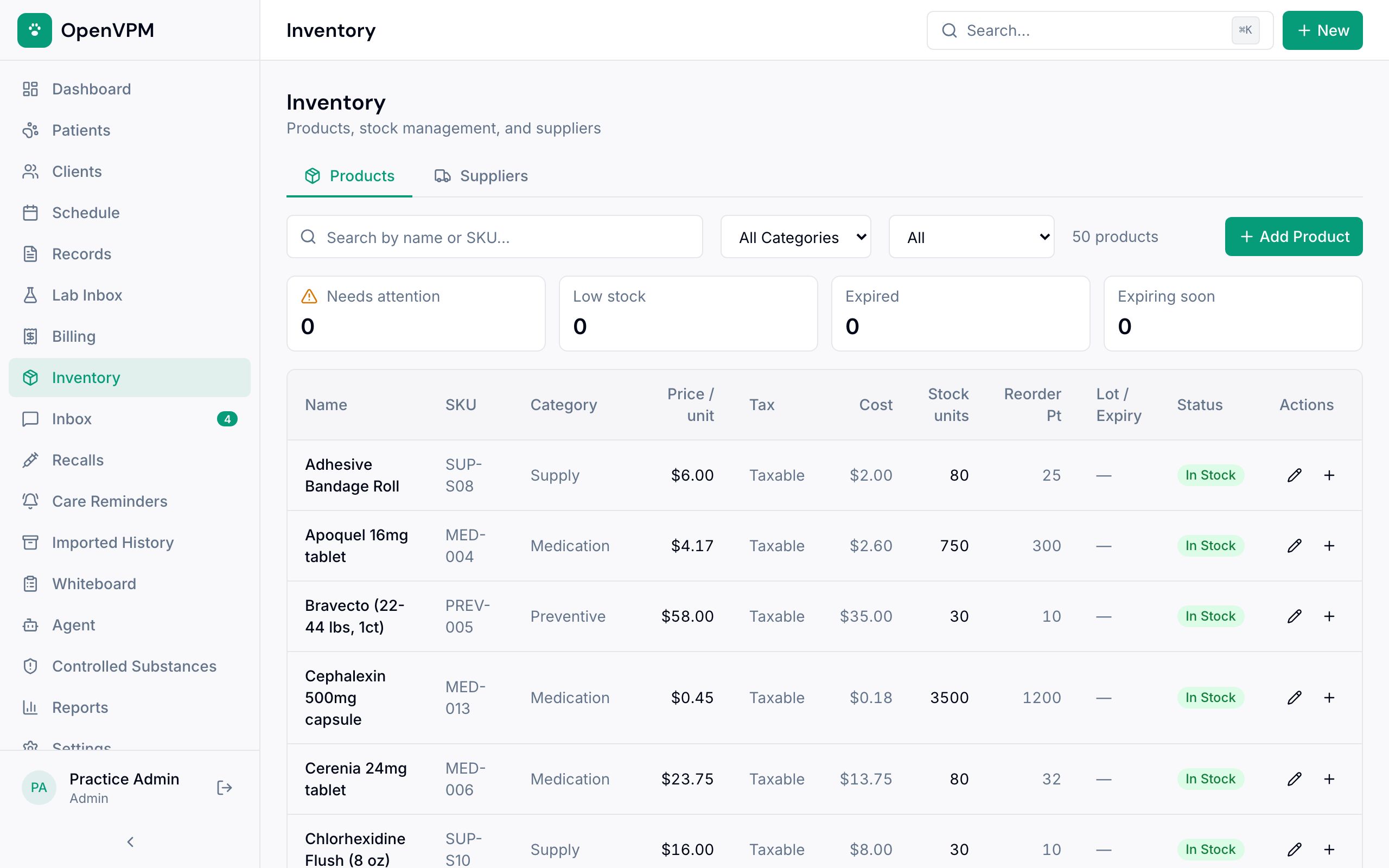
1. Products and suppliers
Switch between what you stock and who you buy it from.
2. Search and filter
Find by name or SKU, or narrow by category and status.
3. Needs attention
Counts of low stock, expired, and soon-to-expire items.
4. Add Product
Add something you sell or dispense.
5. Product list
Price, cost, tax, stock on hand, reorder point, lot and expiry, and status.
Good to know
Dispensing a prescription from stock takes it out of inventory automatically.