ScreensSchedule
Schedule
Every visit for the day, with a column for each doctor. Most front desk work starts here.
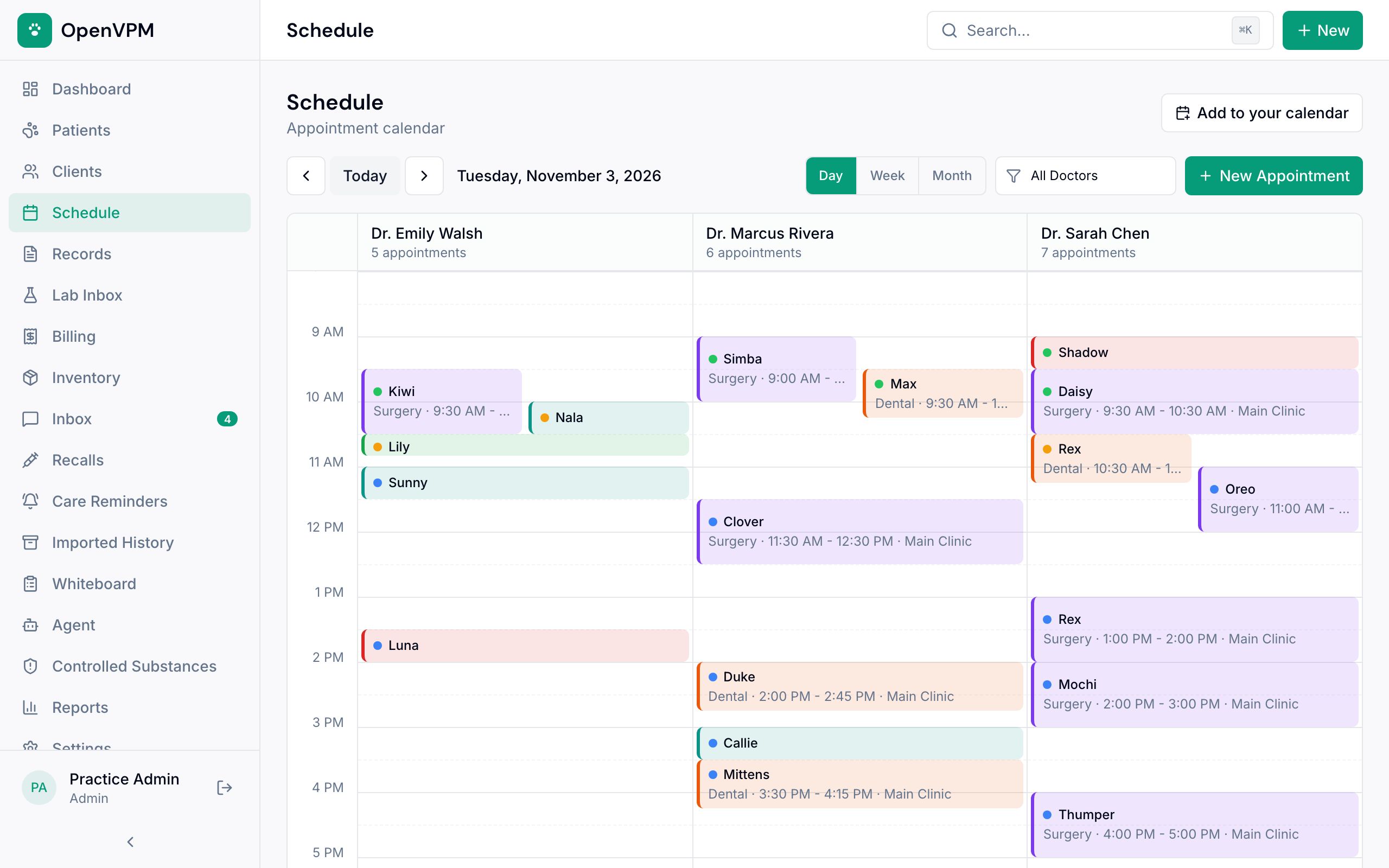
1. Pick the day
Arrows move a day at a time. Today jumps back.
2. Day, week, or month
Day view gives each doctor their own column.
3. Filter by doctor
Show one provider's day.
4. New Appointment
Or just click any open time. How to book
5. Doctor columns
Each visit shows the pet, visit type, and time. Click one to confirm, check in, or edit it.
6. Add to your calendar
See the schedule in Google, Apple, or Outlook. It stays up to date on its own. How to subscribe
Good to know
The red line across the day is the current time.
What you can do here
Book an appointmentPut a visit on the schedule in under a minute so the whole team sees it. 4 min · Front desk, adminsReschedule or cancelChange a booked visit without losing its history. 3 min · Front desk, adminsCheck a patient inMark them arrived. They go straight to the whiteboard. 3 min · Front desk, clinical teamSend appointment remindersEmail or text the client before the visit to cut down on no-shows. 4 min · Front desk, vets, adminsHandle appointment requestsReview times clients asked for online before they go on the schedule for good. 4 min · Front desk, adminsSee the schedule in your own calendarSubscribe once and the clinic's visits show up in Google, Apple, or Outlook. 3 min · Everyone (admins can replace the link)