ScreensCare Reminders
Care Reminders
Your team's to-do list for each pet. Nothing here is sent to clients automatically.
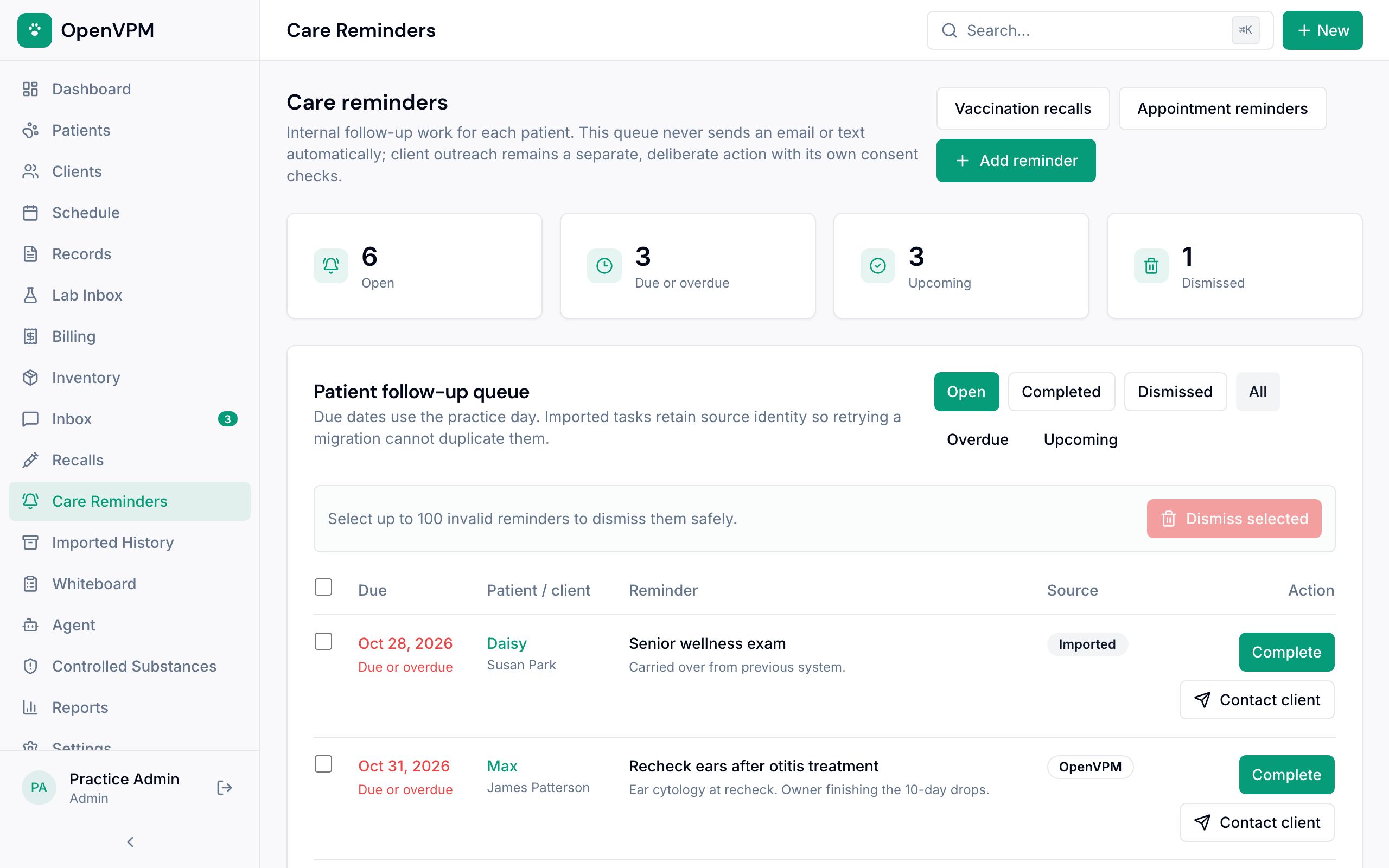
1. Counts
Open, due or overdue, upcoming, and dismissed reminders.
2. Filters
Switch between open, completed, and dismissed, or show only overdue or upcoming work.
3. A reminder
Due date (red once it's due), the pet and owner, what needs doing, and whether it came from OpenVPM or your old system.
4. Complete
Mark the work done. It moves to the completed list.
5. Contact client
Email or text the owner about it, with a preview first. This is always a separate step.
6. Add reminder
Set a due date for follow-up on a pet.
Good to know
Reminders that shouldn't be there can be dismissed with a reason, and restored later.