Work the care reminder queue
Track rechecks, calls, and other follow-ups for each pet so none slip.
Step 1: Start with what's due
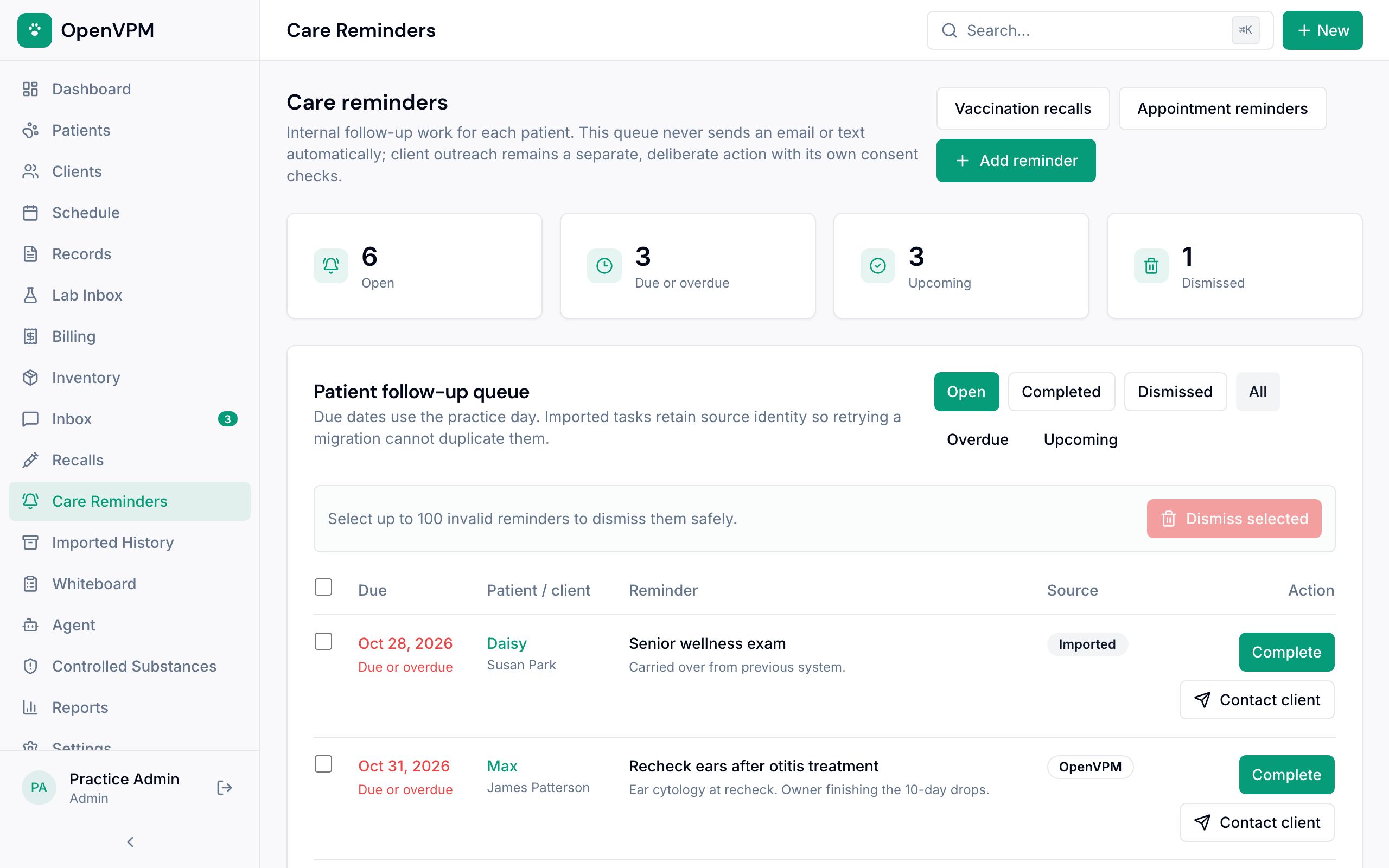
Open Care Reminders. Each row 1 shows the due date, pet and owner, and what needs doing. Anything due today or earlier is in red.
Use the buttons 2 to switch between open, completed, and dismissed, or to see only overdue or upcoming work.
Step 2: Add a reminder
Choose Add reminder, search for the pet, write what needs doing in Reminder, pick a Due date, add notes if they help, and choose Save reminder.
Step 3: Close it out
When it's done, choose Complete 1. If the owner needs to hear from you, choose Contact client 2, pick email or text, check the preview, and send.
If a reminder shouldn't be there at all, tick it and choose Dismiss selected, with a short reason. Dismissed reminders can be restored.
Nothing on this list is sent to clients on its own. Completing a reminder doesn't message anyone.