ScreensPatients
Patients
Every pet in the practice. Open one to see their whole chart.
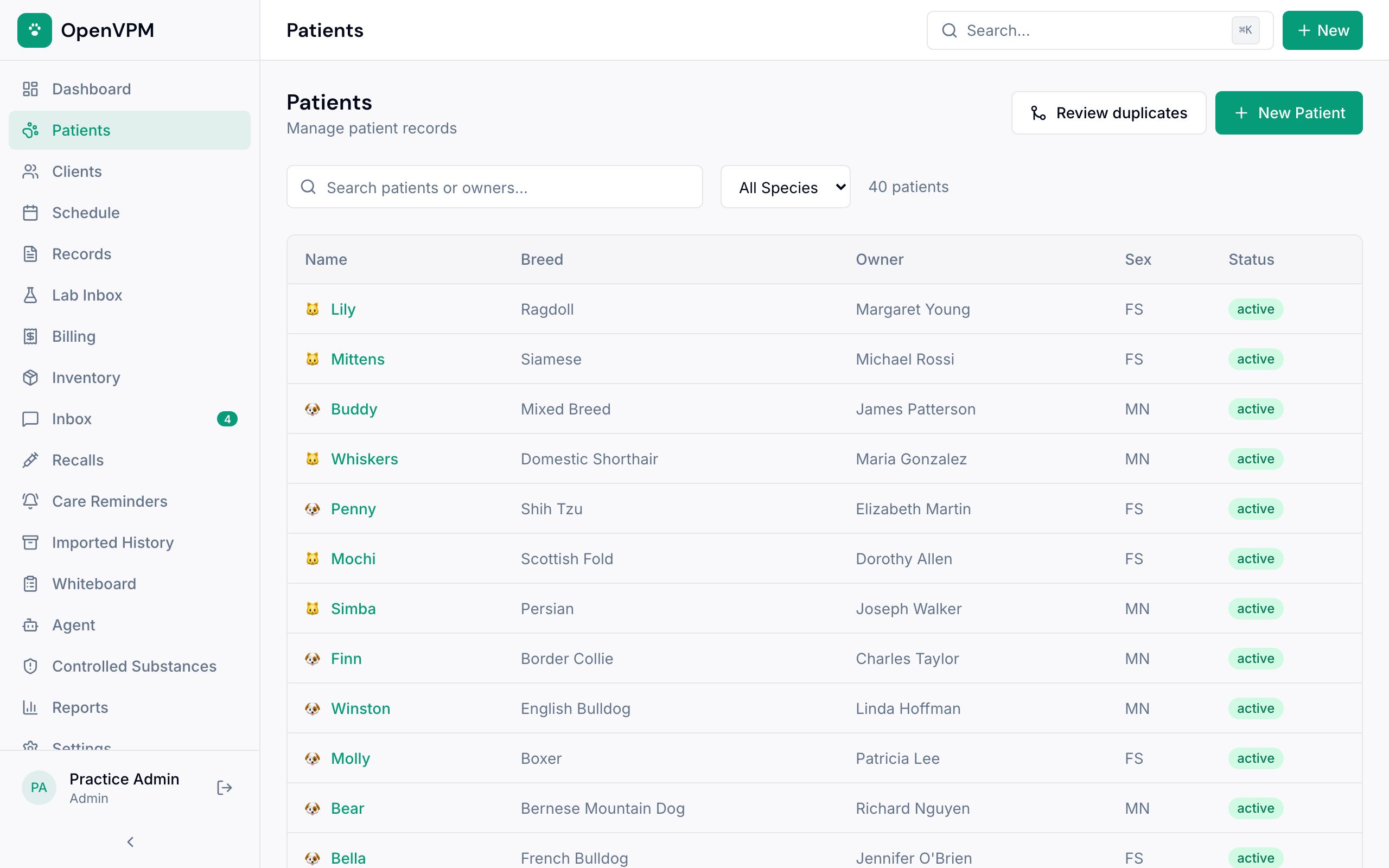
1. Search
Type a pet or owner name.
2. Species filter
Show only dogs, cats, or another species.
3. Review duplicates
Find pets that were added twice and merge them.
4. New Patient
Add a pet. Search first so you don't create a duplicate.
5. Patient list
Click a name to open the chart: allergies, records, vaccines, vitals, documents, and invoices.
Good to know
Allergies show in red at the top of every chart, so nobody misses them.
What you can do here
Add a new client and petSet up a new household and their pet so you can book the first visit. 3 min · Front desk, vets, techs, adminsRecord a vaccineLog each vaccine so certificates, reminders, and overdue reports are right. 4 min · Vets, techs, adminsRecord vitalsSave weight, temperature, and other measurements so trends are easy to spot. 3 min · Vets, techs, adminsAdd an outside record or lab reportKeep referral letters, scans, and outside lab PDFs on the pet's chart. 3 min · Vets, techs, front desk, adminsFind anything fastGet around OpenVPM and jump straight to the right client or pet. 3 min · Everyone