Record a vaccine
Log each vaccine so certificates, reminders, and overdue reports are right.
Step 1: Open the vaccine form
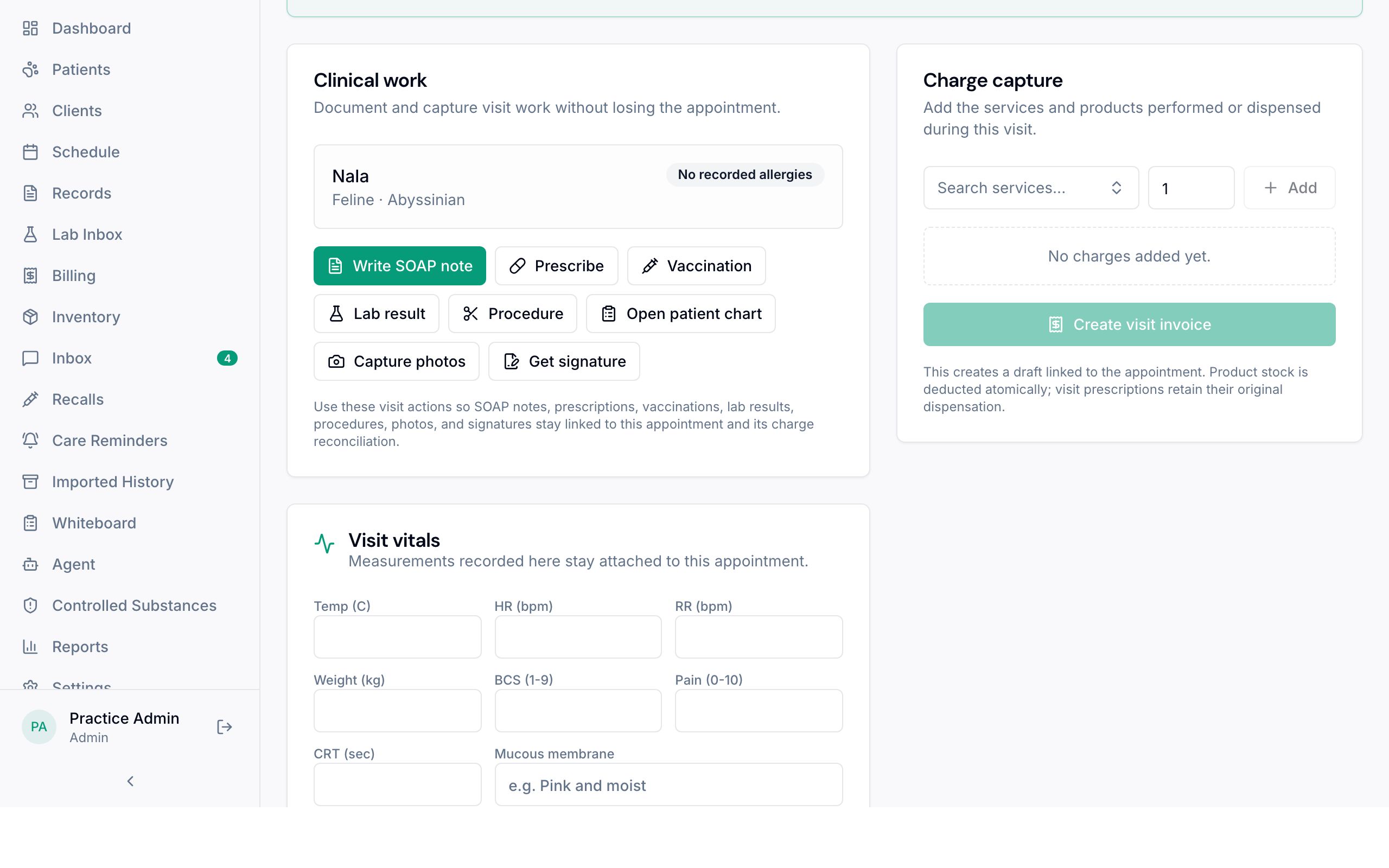
On the visit, while the pet is in the exam, choose Vaccination 1 under Clinical work. Or open Records, find the pet, and use the Vaccinations tab.
Step 2: Enter how it was given
Enter the vaccine, then the product, manufacturer, lot number, product expiration, dose type (initial or booster), licensed duration, the supervising veterinarian, and the next due date. Add the tag number for rabies.
For rabies, everything except the tag number is required, so the certificate is complete.
Step 3: Check the due date and certificate
Make sure the next due date matches your clinic's protocol. It drives the recall list.
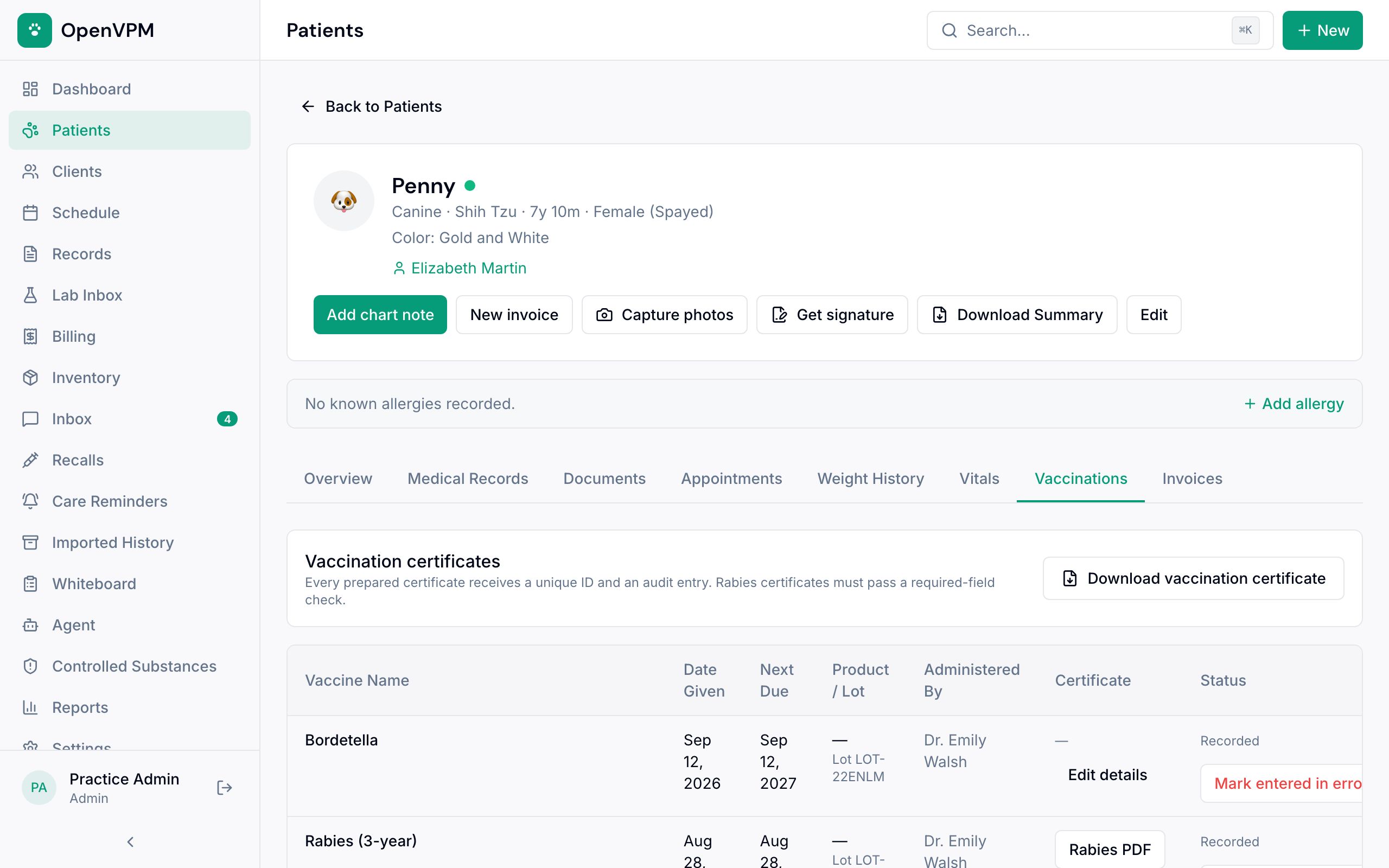
Every vaccine shows on the Vaccinations tab 1 of the pet's chart. If the client needs proof, choose Download vaccination certificate 2.
Something not working?
I recorded a vaccine by mistake
A vet or admin chooses Mark entered in error on that vaccine and gives a reason. The record stays in the history but stops counting for reminders and certificates.