Run a solo practice
Handle the exam, the bill, and the follow-up yourself, from one account.
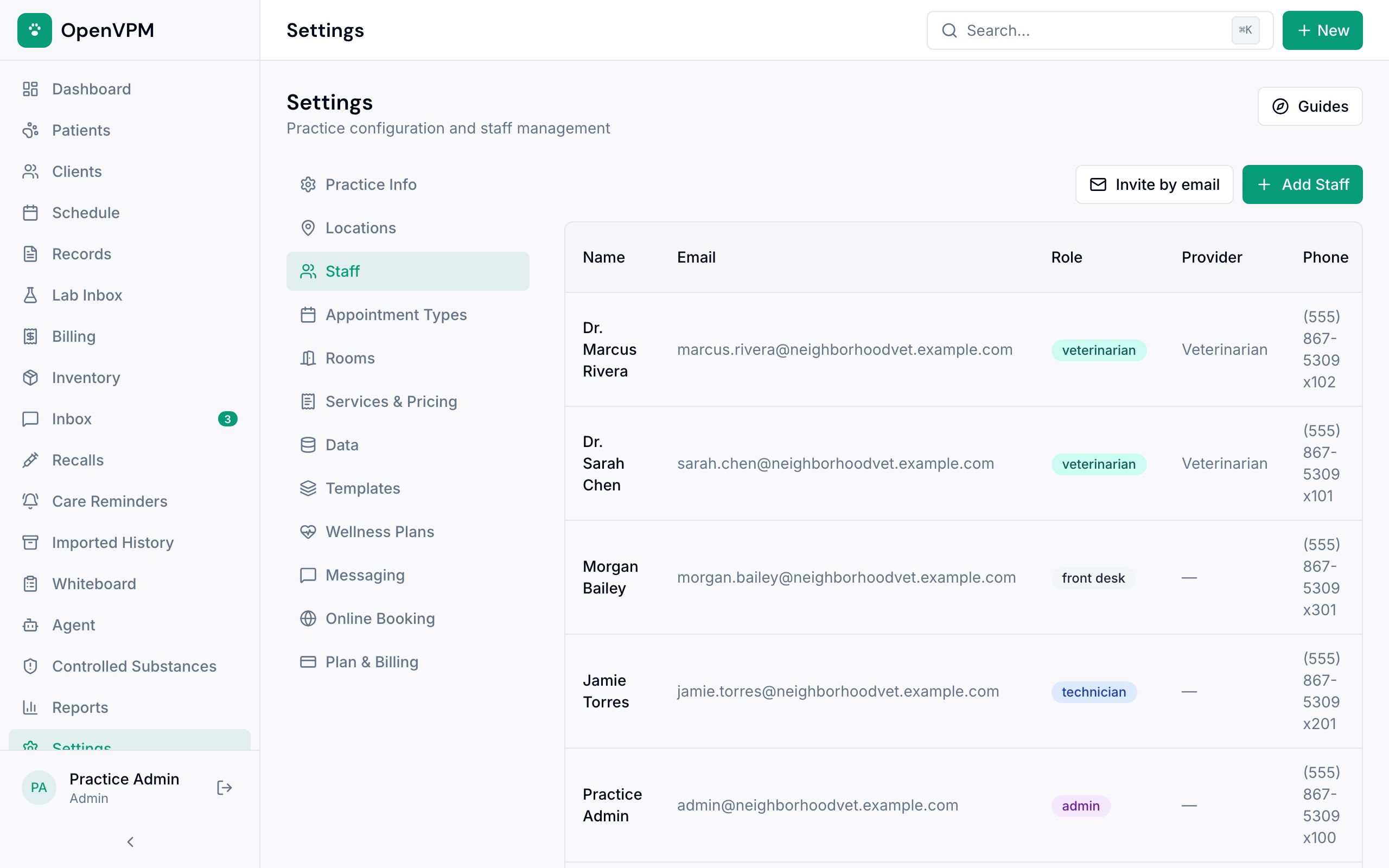
Step 1: Use an admin account
If you do both the medicine and the money, sign in as an admin. Admins can chart and also charge, take payments, and refund. The veterinarian role is clinical only.
Give anyone who helps, even part-time, their own login so the record shows who did what. See Invite and manage staff.
Step 2: Keep the whole visit in one place
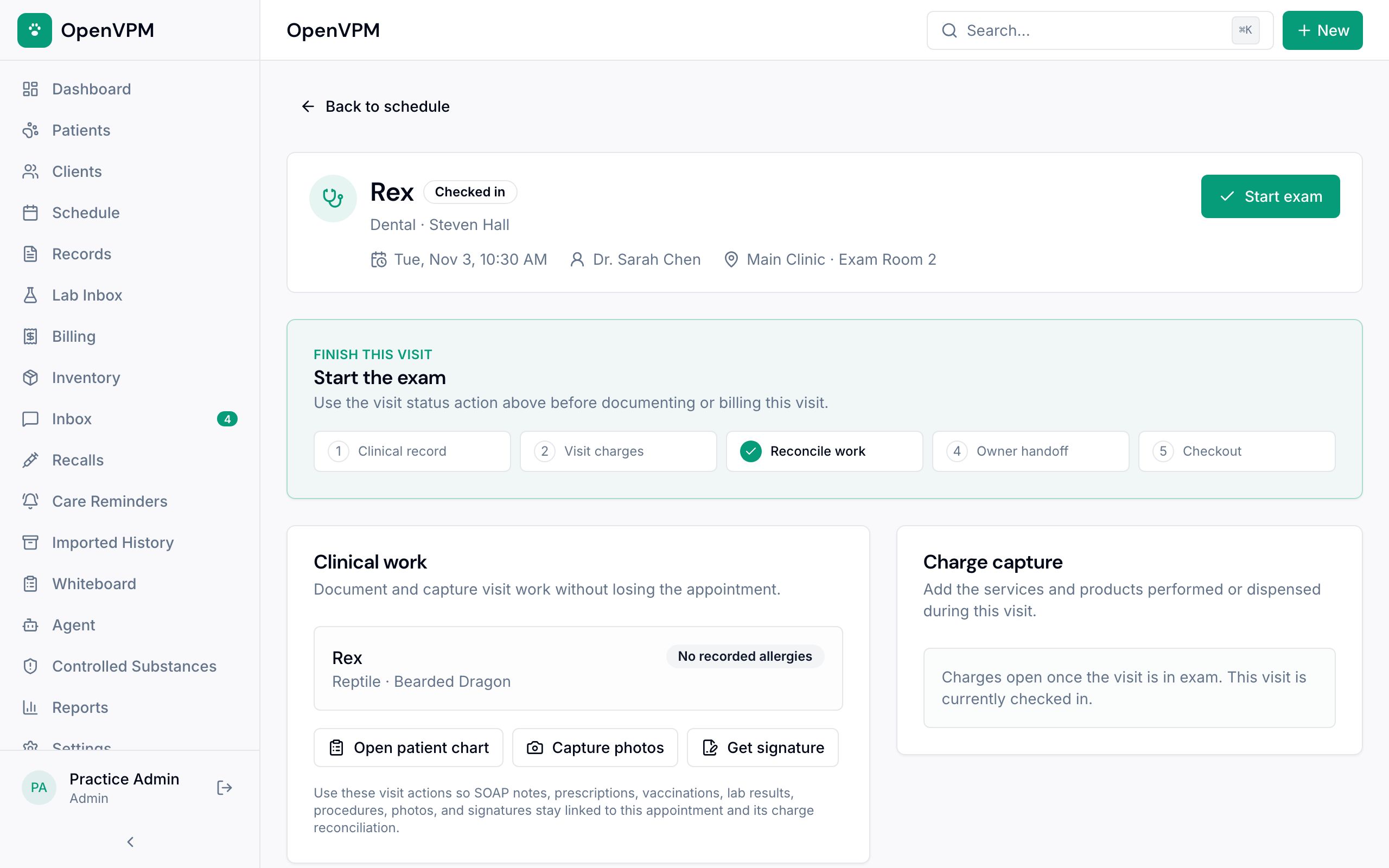
Open the visit from Schedule and use that same visit for notes, treatments, charges, and closeout, so everything stays linked. Outside records go on the pet's Documents tab (how).
Step 3: Charge and get paid yourself
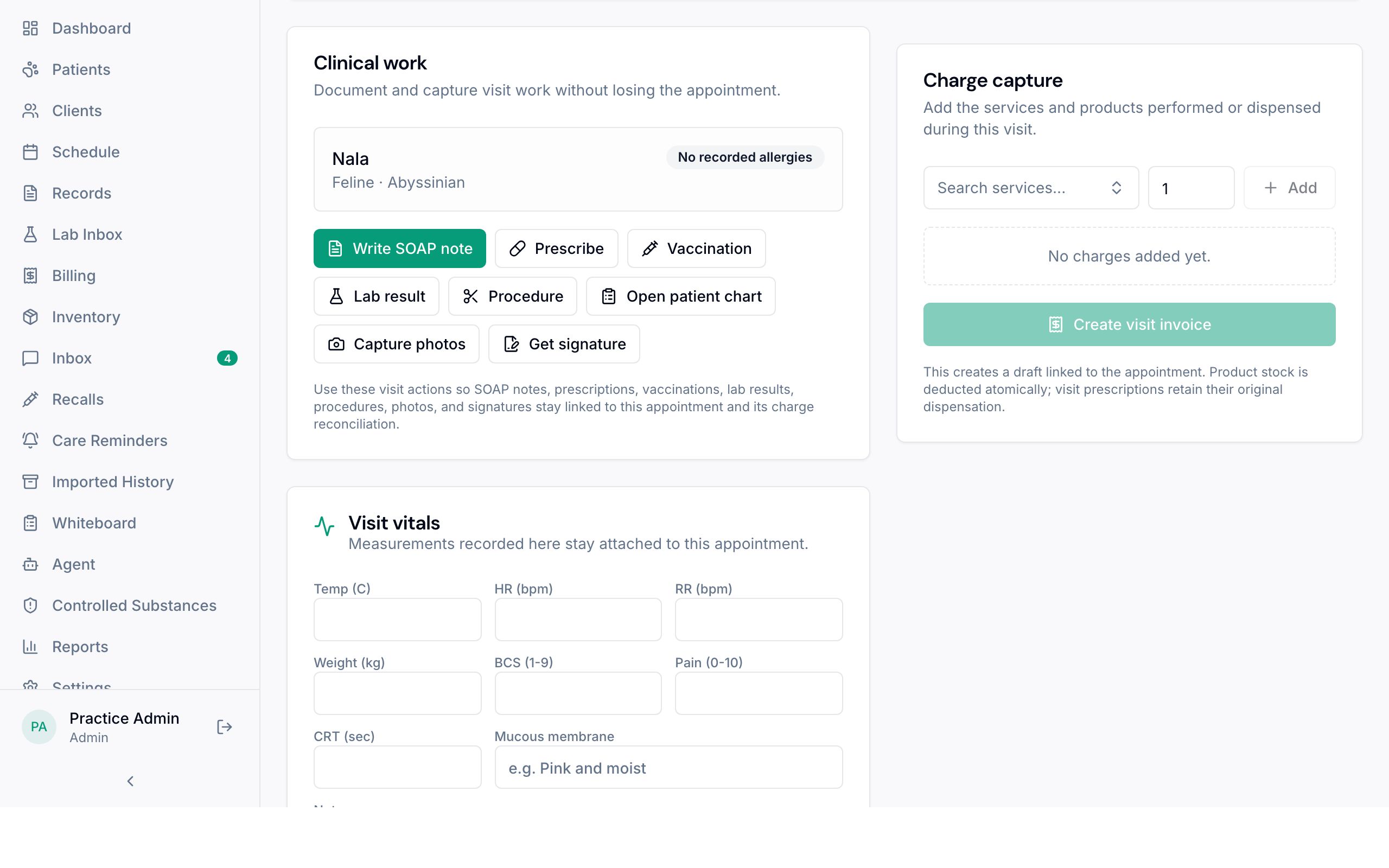
While the pet is in the exam, add charges in Charge capture 1. Then create the invoice, take the payment, and check the balance that's left. See Take a payment.
Step 4: Book the follow-up, don't just note it
A follow-up date in the discharge is a plan, not an appointment. In closeout, choose Schedule follow-up (opens new tab), book it, come back, and choose Refresh appointments. Then pick the visit you booked so it's linked.
Step 5: Seeing patients on the road (optional)
For house calls and farm visits, an admin can turn on Ambulatory workspace in Settings → Practice Info, pick your units and body condition scale, and save. Active patient charts then get a Start field visit button, so you can start a visit without booking it first.
On a field visit, Bill now, finish notes later lets you take payment before the notes are done. Unfinished field visits on the Dashboard shows what still needs notes.
Don't see Ambulatory workspace in Settings? It hasn't been made available for your OpenVPM yet. On a self-hosted install, whoever runs the server turns it on first.
Taking payment doesn't finish the medical record. Come back and complete the notes.
Step 6: Do a practice run first
Before your first real day, take a made-up patient through a whole visit: chart, charge, invoice, payment, discharge, and a booked follow-up. Then check the record and the bill look right.
Something not working?
I entered a weight wrong
On the pet's Weight History tab, choose Correct next to the weight, enter the right value, when it was measured, and a reason, then Save correction. The original stays on file. A weight that came from a visit's vitals shows Review vitals instead; correct it there.