Send vaccine recalls
See which pets are overdue for vaccines and remind their owners on purpose.
Step 1: See who's overdue
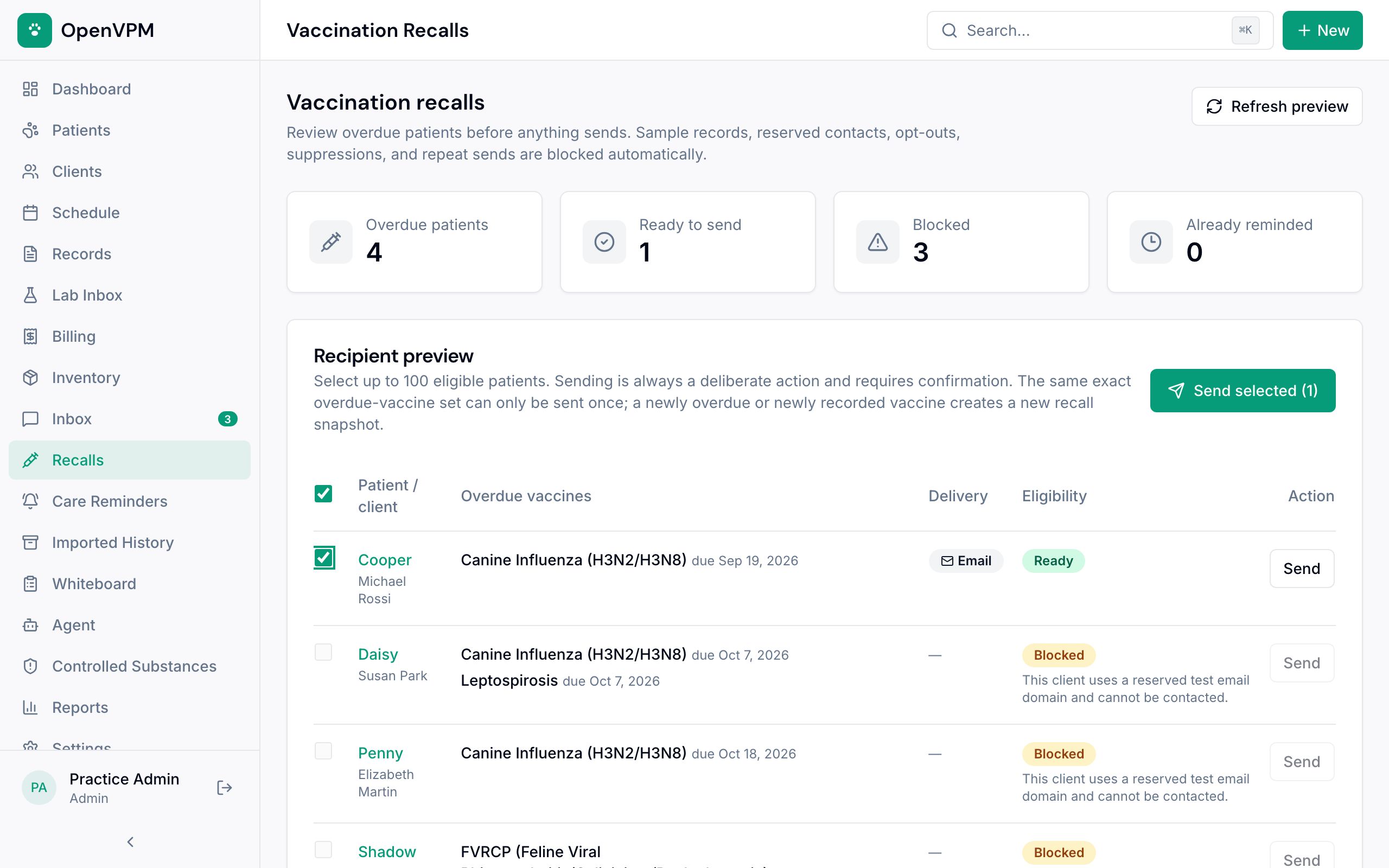
Open Recalls. The counts at the top 1 show how many pets are overdue, ready to remind, blocked, or already reminded.
Each row lists the pet and owner and the vaccines that are overdue 2, with their due dates.
Step 2: Check why anyone is blocked
The Eligibility column 1 says Ready, Already reminded, or Blocked with the reason: the owner opted out, there's no working email or opted-in mobile number, it's quiet hours for texting, or the contact is a test or sample record.
Fix contact details on the client's page, then choose Refresh preview.
Step 3: Send
Tick the Ready pets you want to remind 1, up to 100 at a time. Then choose Send selected 2 and confirm. Or use Send on a single row.
Each reminder goes by the client's usable channel, text or email, and is logged on their communication history.
Something not working?
A pet I vaccinated last week is still on the list
Recalls follow the most recent record of each vaccine. Check the new vaccine was recorded on the pet's Vaccinations tab with a next due date. See Record a vaccine.