GuidesClinical care
Write and finalize a SOAP note
Keep the clinical reasoning for the visit organized and on file.
Step 1: Start the note
Open the visit once the exam has started and choose Write SOAP note under Clinical work. Use one of your clinic's templates if it fits, then fill in each section for the work you actually did.
If you leave and come back, the button says Resume SOAP draft.
Step 2: Record the work in its own place too
Problems, prescriptions, vaccines, labs, and procedures should be recorded in their own sections as well as described in the note. That keeps them searchable and in reports.
Step 3: Finalize it
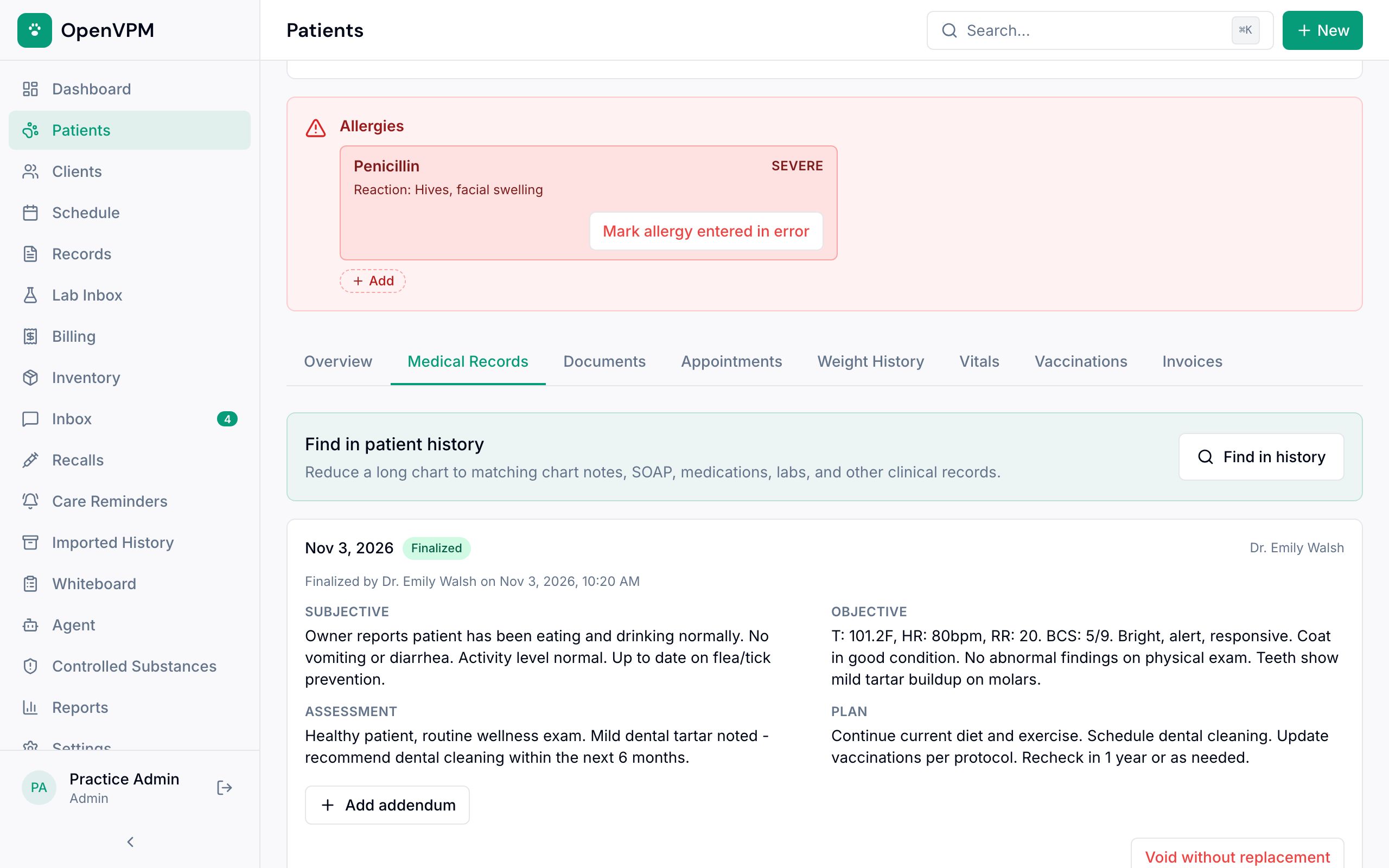
Fill any gaps, then choose Finalize SOAP note. Finalized notes appear on the pet's Medical Records tab 1.
To add to a finalized note, choose Add addendum. The original stays on file.
Did this help?
Next upRecord and review lab results Enter results, have a vet review them, and make sure follow-up happens.